
Mandatory for AY 2025-26: Your Step-by-Step Guide to Generating a One-Time Registration (OTR) Number for Scholarships
Starting from the Academic Year (AY) 2025-26, all students both fresh and renewal applicants applying for Centrally Sponsored Scholarship Schemes must first generate a One-Time Registration (OTR) number on the National Scholarship Portal (NSP). This 14-digit unique number, based on your Aadhaar, is essential for applying on the Odisha State Scholarship Portal (OSSP) and will remain valid throughout your entire academic career.
Here is the simple, two-step process to secure your OTR number:
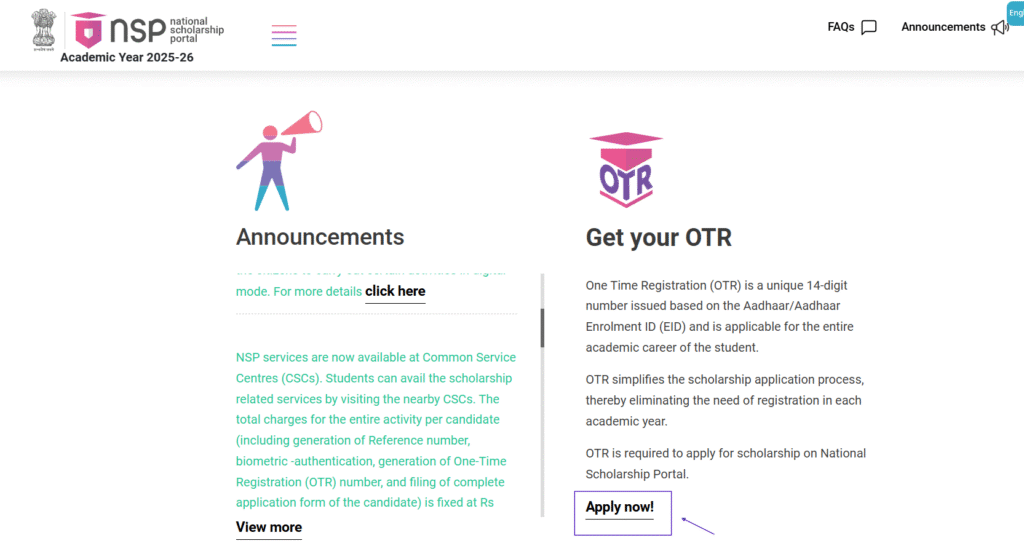
Prerequisites for OTR Generation
Before you begin, ensure you have the following ready:
- An active mobile number for registration in NSP.
- Your Aadhaar number with an operative mobile number linked to it (to receive a one-time password or OTP)5.
- The physical presence of the student to perform biometric-based Aadhaar authentication.
Step 1: Generate Your Reference Number (Web Portal)
This step involves registration on the NSP web portal to generate a temporary Reference Number.

- Visit the NSP Portal: Open your web browser and go to scholarships.gov.in.
- Start OTR Registration: Navigate to the Student section and click on One Time Registration (OTR) OTR login9. On the login page, click on New user? Register yourself.
- Complete Mobile and Aadhaar eKYC: Follow the four-stage registration process (Guidelines, Register Mobile No., eKYC, Finish).
- Enter an active mobile number and verify it with an OTP.
- Provide your Aadhaar number and the OTP sent to your Aadhaar-linked mobile.
- Confirm the populated e-KYC details, add any other required information, and click Finish.
- Receive Reference Number: Upon successful registration, a Reference Number (e.g., R25-***) will be generated and sent to your registered mobile number15.
Step 2: Complete Face Authentication (Mobile App)
The final step requires an Android mobile phone to complete the mandatory face authentication for OTR generation16.
- Install Necessary Apps: Download and install two apps from the Google Play Store on your Android mobile: NSP OTR and Aadhaar Face RD.
- Login to NSP OTR App: Open the NSP OTR app and select eKYC by FaceAuth. Enter the Reference Number and the OTP received from Step 1.
- Face Authentication: Review your Aadhaar details and click Proceed for Face Authentication.
- Follow Advisories: A list of advisories (like ensuring good light, removing sunglasses, and maintaining alignment) will appear. Tick the checkbox to confirm you are aware and click Proceed.
- Capture Photo: Position your face close to the camera. When prompted, blink your eyes to allow the app to capture your photo for authentication.
- Receive OTR: On successful face authentication, your unique 14-digit OTR Number will be displayed in the app and sent to your registered mobile number.
Download the the official Guideline
Important Note for Odisha Scholarship Applicants
Once your OTR number is generated, you must proceed to apply for your scholarship
ONLY on the Odisha State Scholarship Portal (OSSP) by providing the OTR.
Do NOT make any application on the National Scholarship Portal (NSP), as this will lead to duplication and rejection of your scholarship application.
Official Reference: For all scholarship applications, please refer to the Odisha State Scholarship Portal: Odisha State Scholarship Portal.
Alternative Process: If you face difficulty with the mobile app face authentication (especially for visually challenged students) or lack an Android phone, you can complete the entire OTR process through any Common Service Centre (CSC) for a fee of ₹30/-.